Run accounts, stores, products, keys, and payouts from one platform
Creativemark helps digital commerce teams launch branded storefronts, manage catalog and licensing, process orders, support customers, and operate vendor and affiliate programmes from a single back office.
Built for modern digital commerce teams
Creativemark is designed for companies that need more than a checkout. It combines storefront management, product operations, digital fulfillment, finance, partner workflows, and internal tooling in one system.
Accounts first
Each customer can operate one or more accounts, with separate stores, legal entities, users, products, and payment settings where needed.
Branded stores
Run multiple storefronts per account with their own branding, support details, products, checkout settings, and default or custom domains.
Digital fulfillment
Deliver files, license keys, or both. Key lists, stock tracking, low-stock alerts, and allocation history are all built into the platform.
Payments and finance
Configure payment credentials at account or store level, manage orders and refunds, review reports, and track balances, invoices, and payouts.
Partner operations
Support internal teams, vendors, and affiliates with scoped portals, role-based permissions, onboarding flows, and partner-specific reporting.
Content and growth tools
Use the website builder, themes, pages, marketplace, connectors, affiliate management, and referral tools to grow and operate from one admin app.
Organised around accounts, stores, and catalog
The platform keeps business operations clear by separating organisation-level setup from brand-level storefronts and reusable catalog data.
Accounts
Accounts are the top-level structure. They hold payment setup, team access, support details, account-wide settings, and the stores that sit underneath.
- Separate accounts for different legal entities or regions
- Account switching in the internal app
- Role-based team permissions
Stores
Stores hold the brand-facing setup customers see: theme, support contact, listed products, pricing context, and checkout domain.
- Default subdomains such as
store.pcpro.store - Optional custom domains
- Store-specific pricing and content
Products and bundles
Create products once, assign them to stores, set pricing, add media and files, and group related items into bundles for sale.
- Account-level catalog
- Store allocation and bundle management
- SEO and content controls
Keys and files
Support license-based and file-based delivery from the same order flow, with upload tools, allocation history, exports, and notifications.
- Key lists and stock monitoring
- Allocated and available inventory views
- Download files for PDFs, installers, and extras
Orders and reporting
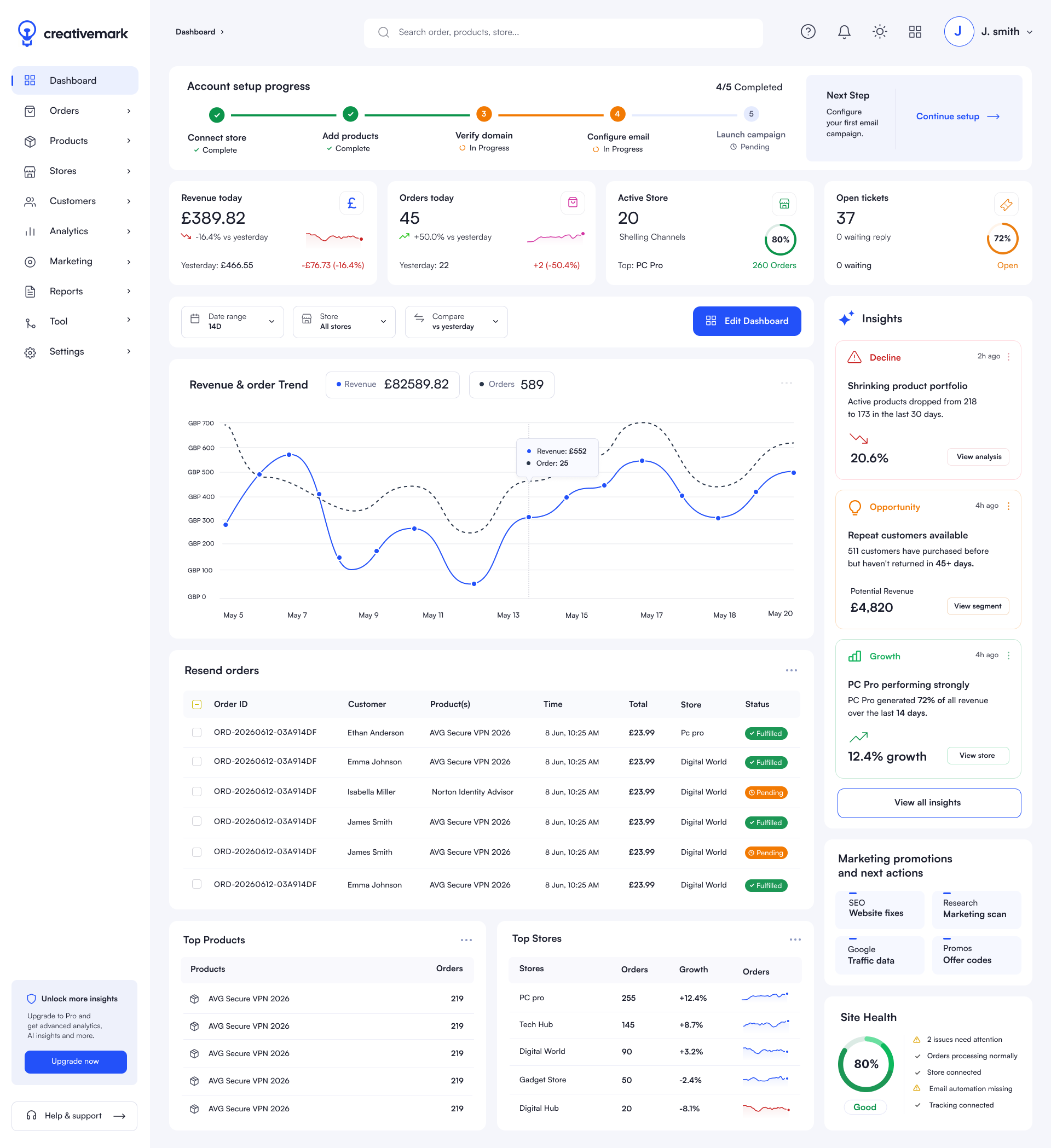
Track customer orders, delivery, finance, and performance in the internal app with reporting, exports, and configurable dashboards.
- Order, customer, and support views
- Revenue and operational reporting
- Dashboard widgets and saved layouts
Internal portals and API
Separate portals for partners, vendors, and affiliates keep access focused, while the API and connectors support external integrations.
- Partner back office at
app.creativemark.co - Vendor and affiliate portals
- Developers, API keys, and connectors
A better fit for digital product operations
Creativemark is especially useful where catalog, delivery, operations, and finance need to work together across multiple brands or teams.
Software, subscriptions, and licensing
Sell software, services, and recurring products with branded storefronts, flexible pricing, file delivery, and license key allocation in one flow.
- Products, bundles, and subscriptions
- License key upload and delivery
- Downloads, order portal, and customer support
Multi-brand commerce teams
Operate several storefronts from one account, or manage multiple accounts for different regions, businesses, or legal entities without mixing their setup.
- Account-level operational control
- Store-specific branding and domains
- Shared reporting and team permissions
Partner-led sales operations
Support vendors, affiliates, and internal teams with the right access, reporting, and payout visibility without exposing the whole system to everyone.
- Scoped vendor and affiliate portals
- Referral and partner management
- Balances, payouts, and finance workflows
From login to live storefront
A typical setup follows a clear sequence inside the platform.
Create your account
Complete onboarding and sign in through login.creativemark.co to access the internal app.
Set up stores
Create one or more stores, choose the default subdomain or your own domain, and add branding and support details.
Build your catalog
Add products, bundles, files, and key lists, then assign them to the stores that should sell them.
Go live and operate
Process orders, monitor delivery and finance, review reports, and manage vendors, affiliates, and customer support.
Frequently asked questions
your-store.pcpro.store or a custom domain, depending on your setup and plan.Ready to start selling globally?
Join Creativemark and let us handle payments, tax, and fulfillment so you can focus on building great products.
Free to apply. No credit card required.